Introduction
Imagine being able to run a business, store large amounts of information, or develop applications without purchasing and maintaining your own collection of expensive servers. Cloud computing makes this possible by providing computing resources through the internet. Instead of keeping all hardware, software, and data on local computers or in an organization’s own data center, users can access many of these resources from cloud providers. These resources can include storage, computing power, databases, networking, and software applications. Cloud computing is now used by businesses of all sizes. Startups can use it to launch applications without building expensive infrastructure, while larger organizations can use cloud platforms to manage workloads, analyze data, support employees, and deliver digital services. But how does cloud computing actually work? What are the different types, and what benefits and challenges should businesses consider? This guide explains the fundamentals of cloud computing in simple terms. It covers how cloud technology works, deployment and service models, major advantages, common challenges, practical applications, and important best practices.
What Is Cloud Computing?
Cloud computing is a method of providing computing resources and services over the internet. Instead of purchasing and maintaining every piece of hardware and software needed for a task, users can obtain resources from a cloud service provider when they need them.
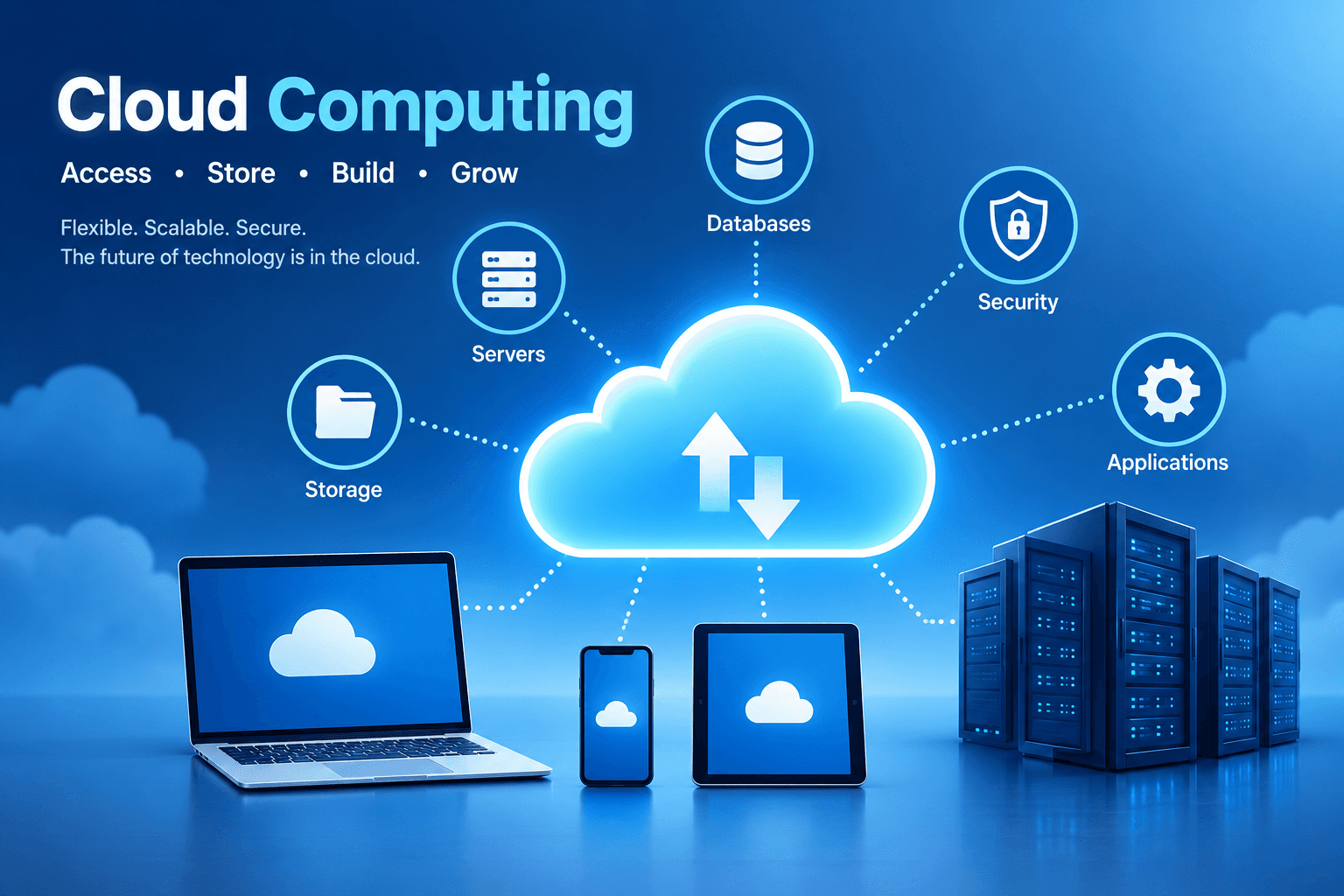
Cloud services can include:
- Cloud storage: Keeping documents, images, videos, backups, and other files online.
- Computing resources: Using remote servers to run applications and perform processing tasks.
- Databases: Storing and managing structured or unstructured information.
- Networking: Connecting applications, systems, servers, and users.
- Software applications: Accessing programs through a browser or application without managing the underlying infrastructure.
A simple example is Google Drive. When you upload a document, it is stored on Google's infrastructure rather than only on the hard drive of your computer. You can then access the document from another supported device after signing into your account. Businesses use cloud computing in a similar way. Instead of purchasing physical servers, an organization can rent virtual machines, databases, storage, and other services from providers such as Amazon Web Services (AWS), Microsoft Azure, or Google Cloud. The central concept is straightforward: cloud computing gives users access to technology resources without requiring them to own and operate all of the physical infrastructure behind those resources.
How Does Cloud Computing Work?
Cloud computing relies on physical servers, storage systems, networking equipment, and other infrastructure located in data centers. Cloud providers operate this infrastructure and use software to make computing resources available to customers. When you use a cloud application, your device communicates with the provider's systems through an internet connection or, in some cases, a private network. For example, consider what happens when you open a cloud-based photo storage service:
- You sign in to your account.
- Your device sends a request to the cloud service.
- The service checks your account and access permissions.
- The required data is retrieved from cloud storage.
- The service sends the requested information back to your device.
Although this process happens quickly, several technologies work behind the scenes to make it possible.
1. Virtualization
Virtualization is one of the technologies commonly used in cloud infrastructure. It allows a physical server to be divided into multiple virtual environments. Each virtual machine can run its own operating system and receive a defined amount of computing resources. As a result, one physical server can support workloads belonging to multiple customers. Virtualization helps cloud providers make efficient use of their hardware while maintaining logical separation between different workloads.
2. Data Centers
Cloud services depend on large-scale data centers containing physical servers, storage systems, networking equipment, power systems, and cooling infrastructure. Cloud providers operate these facilities and maintain the underlying hardware. Customers generally interact with the services through dashboards, APIs, or applications rather than directly managing the physical machines. Data centers may also be located in different geographic regions, allowing providers to offer services closer to users and support certain availability and resilience requirements.
3. Internet and Network Connections
Network connectivity allows users and applications to communicate with cloud infrastructure. Most cloud services are accessed through the public internet, although organizations can also use dedicated or private network connections for certain workloads. A reliable network connection is especially important for applications that constantly exchange information with remote systems.
4. Automation and Resource Management
Cloud platforms use software and automation to provision, configure, monitor, and manage resources. For example, a developer can create a virtual server through a cloud provider's management console or API instead of purchasing a physical machine and installing it manually. Some cloud services can also increase or decrease available resources according to workload requirements. This ability helps organizations respond to changes in demand.
Types of Cloud Computing
Cloud computing can be understood through two major classifications:
- Deployment models — how cloud infrastructure is organized and made available.
- Service models — how much of the technology stack is managed by the provider.
Understanding both categories makes it easier to determine which type of cloud service is appropriate for a particular requirement.
Cloud Deployment Models
Deployment models describe the ownership, location, and management approach used for cloud infrastructure.
Public Cloud
A public cloud is operated by a third-party cloud provider and offers services to multiple customers.
Well-known public cloud providers include:
- Amazon Web Services (AWS)
- Microsoft Azure
- Google Cloud
Customers use the provider's shared physical infrastructure, while virtualization, access controls, and other technologies help separate individual workloads. For example, a startup might rent cloud computing resources to host its website instead of purchasing physical servers. Public cloud services are commonly used for application hosting, storage, software development, databases, analytics, and many other workloads.
Private Cloud
A private cloud is designed for the use of a single organization. The infrastructure may be operated within the organization's own facilities or managed by an external provider. Private cloud environments can give organizations greater control over infrastructure configuration and resource management. For example, an organization with specific security or compliance requirements might choose a private cloud environment for certain applications. However, private cloud infrastructure can involve considerable costs and may require specialized personnel to operate and maintain it.
Hybrid Cloud
A hybrid cloud combines private infrastructure with public cloud services. An organization might keep certain workloads in a private environment while using public cloud resources for other applications. In some architectures, systems may exchange data or workloads may move between environments. For example, a company could maintain a particular internal application in its private infrastructure while using a public cloud platform for web applications or additional computing capacity. Hybrid environments can provide flexibility, but they also require effective networking, identity management, monitoring, and security controls.
Multicloud
Multicloud refers to the use of cloud services from two or more cloud providers. For example, an organization might use one provider for application hosting and another for analytics or specialized services. Companies may adopt multicloud strategies because different providers offer different capabilities, geographic coverage, pricing structures, or technologies. However, using multiple providers can make infrastructure more complicated to manage. Teams may need to learn different platforms, security systems, monitoring tools, and billing models.
Cloud Computing Service Models
Service models describe the level of responsibility handled by the cloud provider compared with the customer. The three commonly recognized models are IaaS, PaaS, and SaaS.
Infrastructure as a Service (IaaS)
Infrastructure as a Service provides basic computing infrastructure through the cloud. Depending on the service, customers can obtain virtual machines, storage, networking, and other infrastructure resources. The provider manages the physical hardware, while the customer typically manages the operating system, applications, configurations, and data. Amazon EC2 is one example of an IaaS-style cloud service. IaaS is useful when an organization needs considerable control over its computing environment but does not want to purchase and maintain the physical servers itself.
Example of IaaS
A software company needs several servers to host an application. Instead of buying physical machines, it creates virtual servers through a cloud provider and configures them with the operating systems and software it needs.
Platform as a Service (PaaS)
Platform as a Service provides a managed environment for developing, testing, and deploying applications. With PaaS, the cloud provider handles much of the underlying infrastructure, allowing developers to spend more time working on application code and less time managing servers. Google App Engine is an example of a platform service used for application deployment.
Example of PaaS
A development team wants to build a web application without spending significant time configuring servers and runtime environments. A PaaS platform can provide many of these components so the team can concentrate on developing the application.
Software as a Service (SaaS)
Software as a Service provides complete software applications over the internet. The provider generally manages the application, infrastructure, updates, and much of the maintenance. Users typically access the software through a web browser or dedicated application.
Examples include:
- Google Workspace
- Microsoft 365
- Salesforce
Example of SaaS
Instead of installing and maintaining an email or productivity application on company-owned servers, employees can use a cloud-based service through their browsers or applications.
Cloud Computing Benefits
Cloud computing offers several advantages, although the actual benefits depend on how the services are designed and managed.
1. Reduced Upfront Infrastructure Costs
Traditional IT infrastructure may require organizations to purchase servers, storage systems, networking equipment, and other hardware before applications can be deployed. Cloud computing can reduce the need for large upfront hardware purchases because organizations can obtain resources from a provider. However, cloud services still cost money. Depending on usage, architecture, and pricing models, long-term cloud spending can become significant.
2. Scalability
Cloud platforms can make it easier to increase or decrease resources as workloads change. For example, an online store may experience a large increase in traffic during a promotional event. Its cloud infrastructure can be configured to provide additional capacity when needed. Once demand falls, unused resources can potentially be reduced. This flexibility can be particularly useful for applications with unpredictable or seasonal workloads.
3. Flexible Access
Cloud applications and data can often be accessed from different locations and devices. This can support remote employees, distributed teams, students, and organizations with multiple offices. Access still depends on factors such as internet connectivity, device compatibility, authentication, and user permissions.
4. Backup and Disaster Recovery
Cloud platforms provide various services that can help organizations back up data and design disaster recovery systems. For example, important data can be replicated or backed up to separate infrastructure so that it can potentially be recovered after certain failures. However, simply storing information in the cloud does not automatically create a complete backup strategy. Organizations should define retention policies, recovery procedures, and regularly test whether their backups can actually be restored.
5. Faster Application Development
Cloud platforms provide developers with ready-made infrastructure and managed services. Instead of waiting for physical hardware to be purchased and configured, developers can often create environments within minutes. Cloud services can also provide tools for databases, testing, monitoring, application deployment, and automation. This can help development teams move from experimentation to deployment more efficiently.
6. Managed Infrastructure
Many cloud services reduce the amount of infrastructure maintenance customers need to perform. For example, a managed database service may handle certain infrastructure and administrative tasks for the customer. The exact responsibilities depend on the provider and service. Customers still need to manage the parts of the system that fall under their responsibility.
Challenges of Cloud Computing
Cloud computing also introduces several challenges. Organizations should consider these issues before moving important workloads to the cloud.
1. Security and Privacy
Cloud environments can provide advanced security tools, but using them effectively requires proper configuration and ongoing management. Potential risks can include weak passwords, excessive permissions, exposed resources, compromised accounts, and insecure applications.
Organizations can reduce these risks by using practices such as:
- Multifactor authentication
- Strong identity and access management
- Encryption
- Least-privilege permissions
- Security monitoring
- Regular configuration reviews
Cloud security is generally based on a shared-responsibility model. The provider protects certain parts of the underlying infrastructure, while customers remain responsible for securing the components they control.
2. Dependence on Network Connectivity
Many cloud applications require an internet or network connection. If connectivity becomes slow or unavailable, users may experience interruptions or reduced access to cloud services. Organizations that depend heavily on cloud applications should consider redundant connectivity and suitable business continuity procedures.
3. Cloud Costs
Cloud pricing is often based on resource usage. This can be useful because organizations pay for resources according to their consumption, but poor resource management can lead to unexpected expenses. Unused virtual machines, excessive storage, unnecessary data transfers, and incorrectly sized resources can all contribute to higher bills. Regular cost monitoring, budgets, alerts, and resource reviews can help organizations manage cloud spending.
4. Vendor Lock-In
Vendor lock-in can occur when an application becomes heavily dependent on a particular provider's proprietary services or technologies. Moving such an application to another platform may require significant changes to its architecture, code, data, and deployment processes. Organizations can consider portability, open standards, documentation, and exit strategies when designing cloud architectures.
5. Compliance and Data Regulations
Some organizations must follow legal, regulatory, or industry-specific requirements when storing and processing information. Before adopting a cloud service, businesses should understand applicable requirements related to data protection, access control, data location, retention, and contractual responsibilities. Compliance responsibilities can vary depending on the industry, location, type of data, and cloud service being used.
Real-World Uses of Cloud Computing
Cloud computing is used across many industries and everyday digital services.
Education
Schools, colleges, and universities can use cloud platforms for online classes, file sharing, learning management systems, collaboration, and application hosting.
Healthcare
Healthcare organizations can use cloud infrastructure for applications, analytics, storage, and information systems. Because healthcare information can be sensitive, appropriate privacy, security, and regulatory controls are important.
E-commerce
Online stores use cloud services for websites, databases, application hosting, analytics, storage, and other systems required to process customer activity and orders. Cloud infrastructure can also help e-commerce platforms handle changes in traffic.
Banking and Finance
Financial organizations may use cloud services for software development, analytics, selected business applications, data processing, and infrastructure. These organizations must also consider security, privacy, regulatory, and operational requirements when choosing cloud solutions.
Entertainment and Streaming
Streaming services rely on large-scale computing, storage, networking, and content delivery infrastructure to provide digital content to users. Cloud technologies can help support large and changing numbers of users across different regions.
Software Development
Developers use cloud platforms to create development environments, test applications, run automated workflows, deploy software, and monitor applications. Cloud-based development tools can reduce the amount of infrastructure developers need to manage themselves.
Cloud Computing Best Practices
Organizations can improve the reliability, security, and cost efficiency of their cloud environments by following practical best practices.
Choose the Appropriate Service Model
Determine whether IaaS, PaaS, or SaaS fits the workload. The right choice depends on how much control the organization needs and how much infrastructure management it wants the provider to handle.
Secure User Accounts
Use strong authentication methods, multifactor authentication, and least-privilege access. Review permissions regularly and remove access that is no longer required.
Monitor Cloud Spending
Track resource consumption and review cloud bills regularly. Organizations should identify unused resources and investigate unexpected changes in spending.
Maintain a Backup Strategy
Important information should have appropriate backup schedules, retention periods, and recovery procedures. Recovery testing is also important to verify that backups work when needed.
Monitor Applications and Infrastructure
Monitoring can help teams identify performance problems, errors, unusual activity, and resource shortages.
Plan for Changing Workloads
Consider how resource requirements may change over time. Applications with variable demand may benefit from appropriate scaling and resource-management strategies.
Review Security Regularly
Cloud configurations can change as applications evolve. Regular reviews of permissions, network settings, software, logs, and security alerts can help identify problems before they become larger issues.
Frequently Asked Questions About Cloud Computing
1. What is cloud computing in simple terms?
Cloud computing means using computing resources such as storage, servers, databases, software, and networking through cloud platforms instead of managing all of the required physical infrastructure yourself. Google Drive, for example, is a familiar example of a cloud-based storage service.
2. What are the main types of cloud computing?
Cloud computing is commonly discussed using deployment models such as public cloud, private cloud, hybrid cloud, and multicloud. These models describe how organizations use and manage cloud infrastructure.
3. What are IaaS, PaaS, and SaaS?
IaaS stands for Infrastructure as a Service and provides infrastructure resources such as virtual machines and storage. PaaS, or Platform as a Service, provides a managed environment for developing and deploying applications. SaaS, or Software as a Service, provides complete software applications through the internet.
4. Is cloud computing secure?
Cloud computing can provide strong security features, but security is not automatic. The level of protection depends on the cloud provider, service configuration, identity controls, application security, monitoring, and the responsibilities handled by the customer. Organizations should understand the shared-responsibility model and secure the parts of the environment they control.
5. How is cloud computing different from traditional computing?
Traditional computing often involves infrastructure owned and managed directly by an organization. Cloud computing allows organizations to obtain many computing resources from external providers. Cloud services can reduce the amount of physical infrastructure an organization has to operate and can make resource scaling easier. Traditional infrastructure, however, may provide direct control over physical hardware and its environment.
Conclusion
Cloud computing has changed the way individuals and organizations obtain and use technology resources. Instead of depending entirely on locally owned servers and infrastructure, users can access computing power, storage, databases, networking, and software through cloud platforms. To understand cloud computing, it is important to know the difference between deployment models such as public, private, hybrid, and multicloud, as well as service models such as IaaS, PaaS, and SaaS. Cloud technology can provide benefits such as scalability, flexible resource access, faster development, and reduced dependence on physical infrastructure. At the same time, organizations need to manage challenges involving security, connectivity, costs, vendor lock-in, and compliance. For students and beginners, learning the fundamentals of cloud computing provides a useful foundation for exploring modern IT. For businesses, successful cloud adoption requires more than simply moving systems to a provider. It involves selecting appropriate services, managing security and costs, planning for reliability, and understanding which responsibilities belong to the provider and which remain with the customer. As digital services continue to expand, cloud computing will remain an important part of modern technology infrastructure and application development.
Comments
No comments yet. Add the first one below.